
Manufacturing Stock
Manufacturing stock refers to creating new stock in-house from existing ingredient items. Examples include preparing sauces, batters, fillings, or salads, among many others.
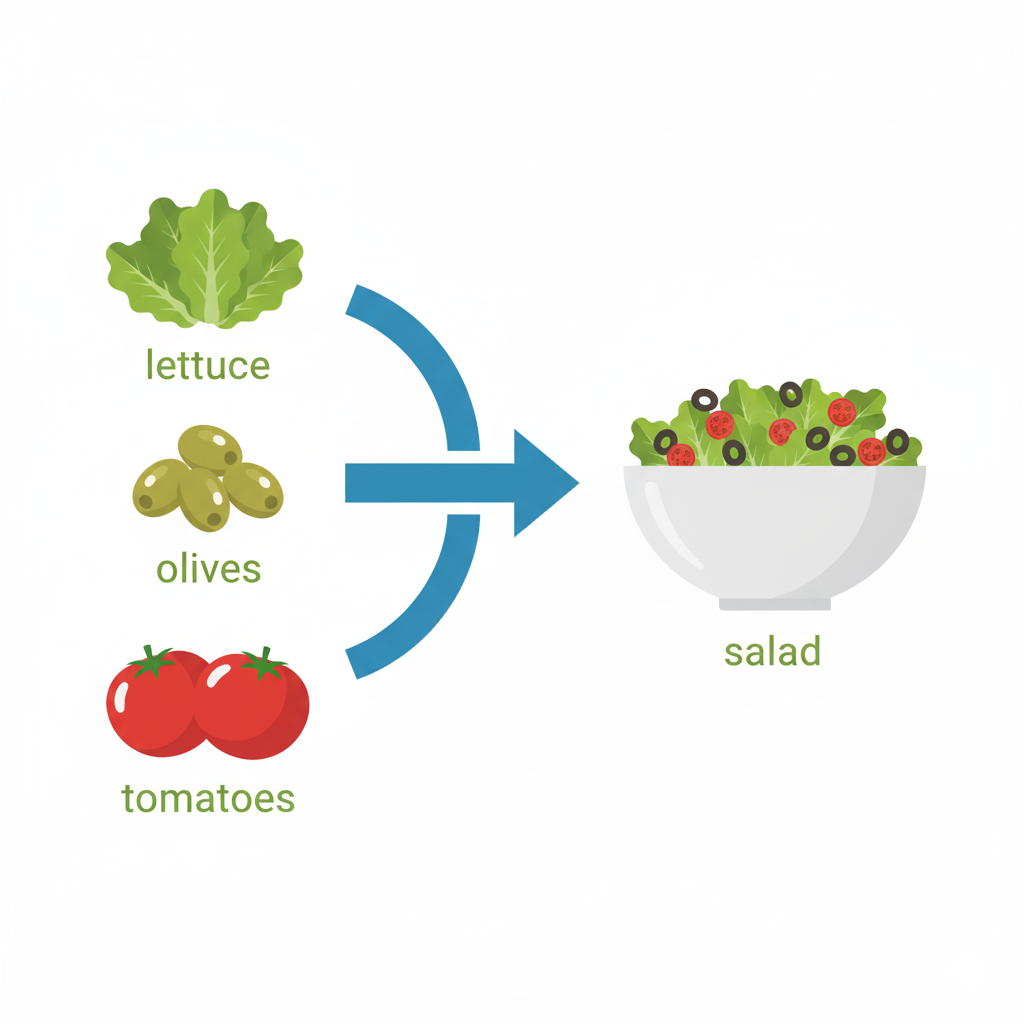
In the example above, lettuce, olives, and tomatoes are all stock items that are purchased from suppliers. Salad is a new stock item manufactured in store utilizing these ingredients.
Viewing Manufactured Stock
The Manufacture screen displays a list of all manufacture batches within a selected date range.
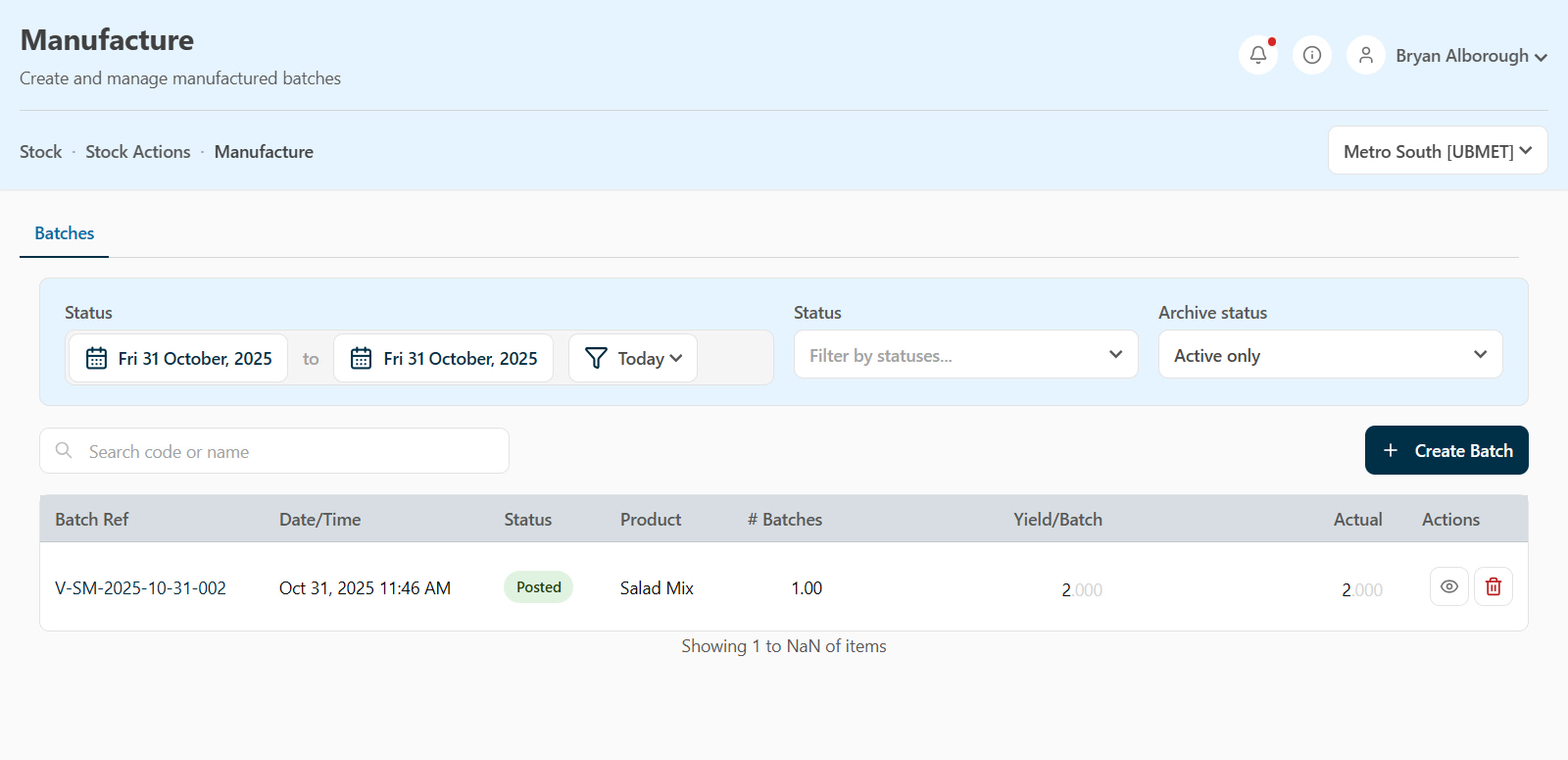
Results can be filtered by status, such as Draft or Posted, or you can switch to view Archived entries
Logging a New Manufacture
To log a new manufacture:
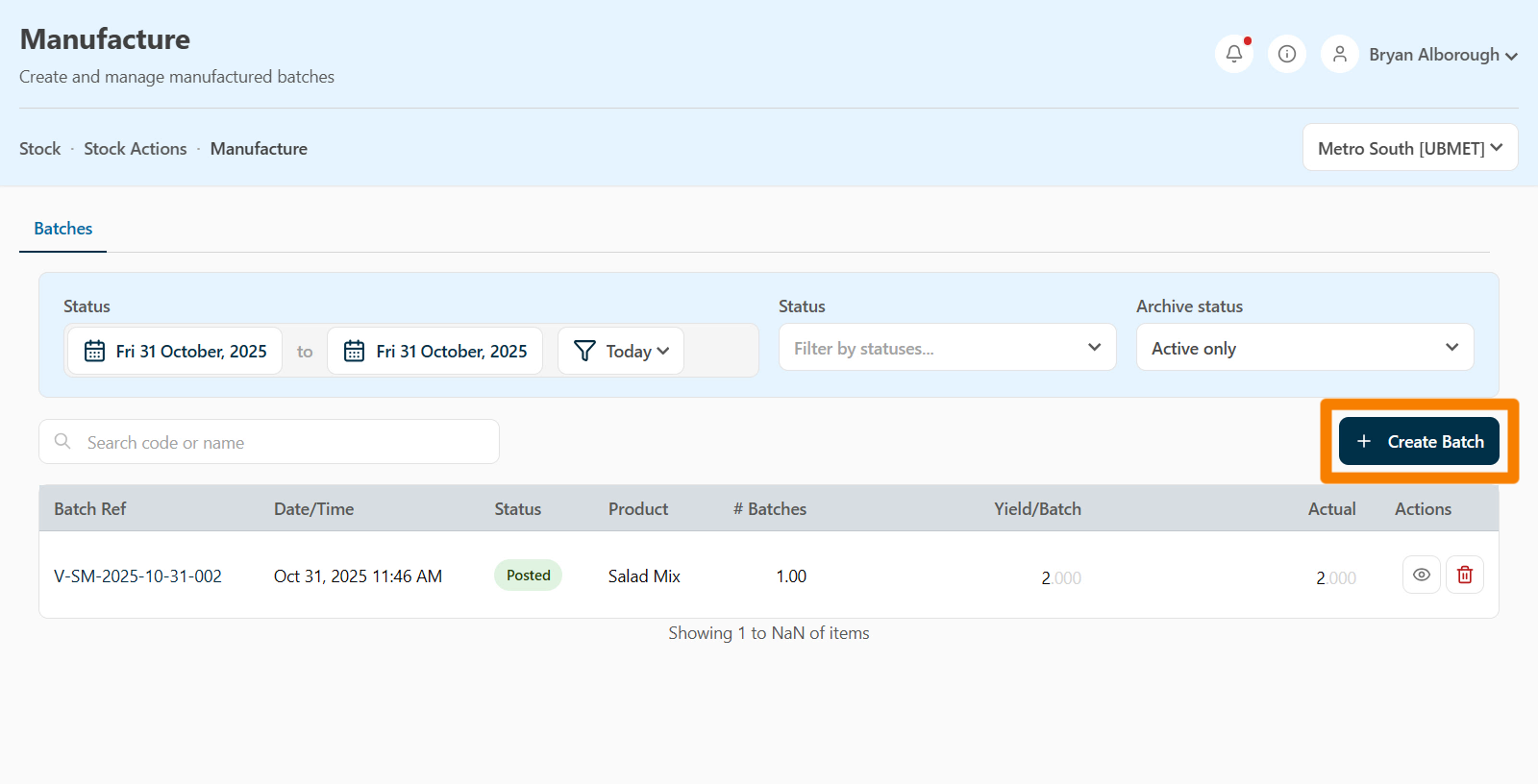
- Click Create Batch.
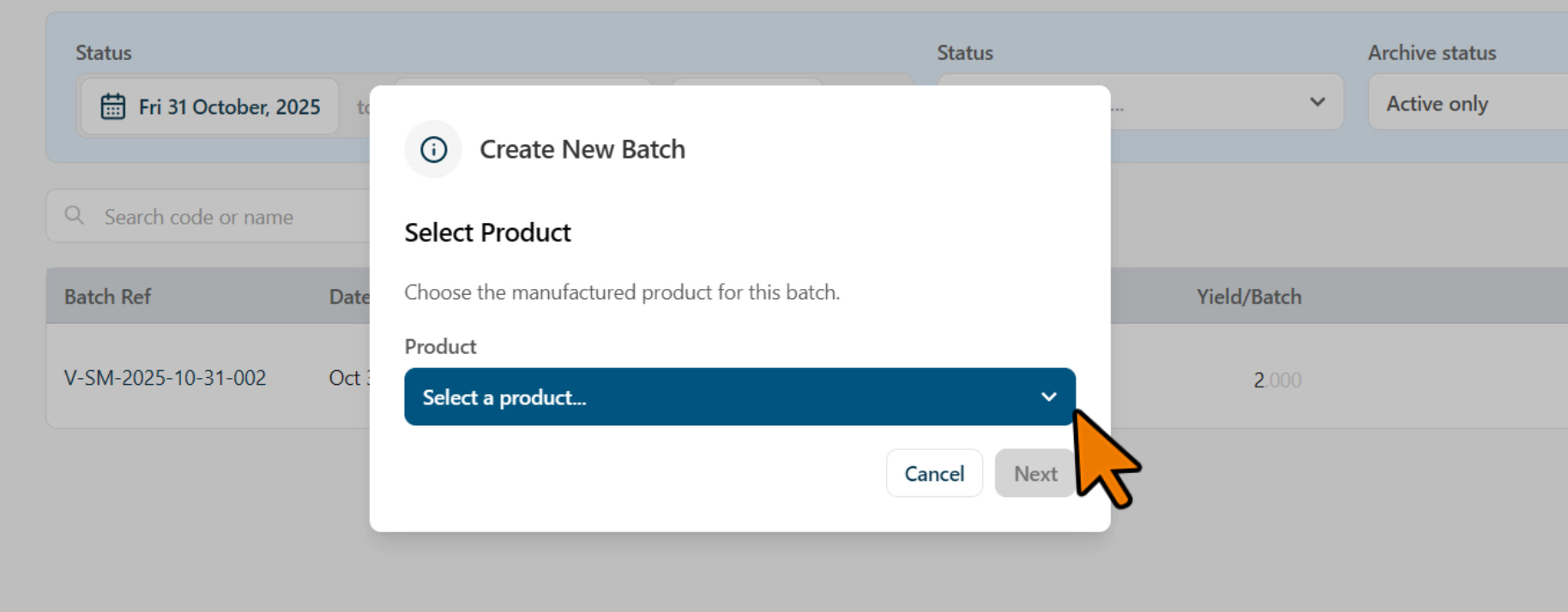
- Choose the product being manufactured.
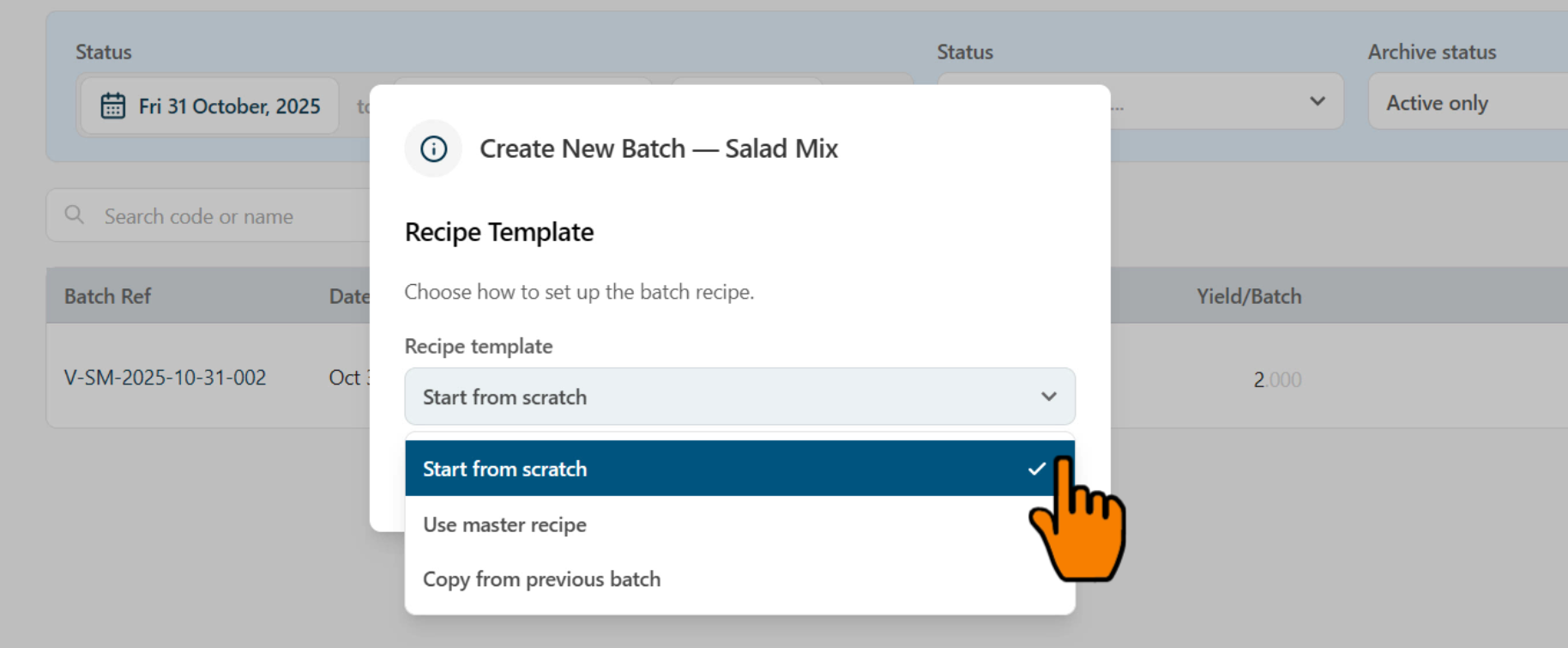
- Select a recipe template:
- New Recipe – Start from scratch.
- Master Recipe – Use a predefined recipe for this item.
- Copy Previous Batch – Duplicate an existing manufacture.
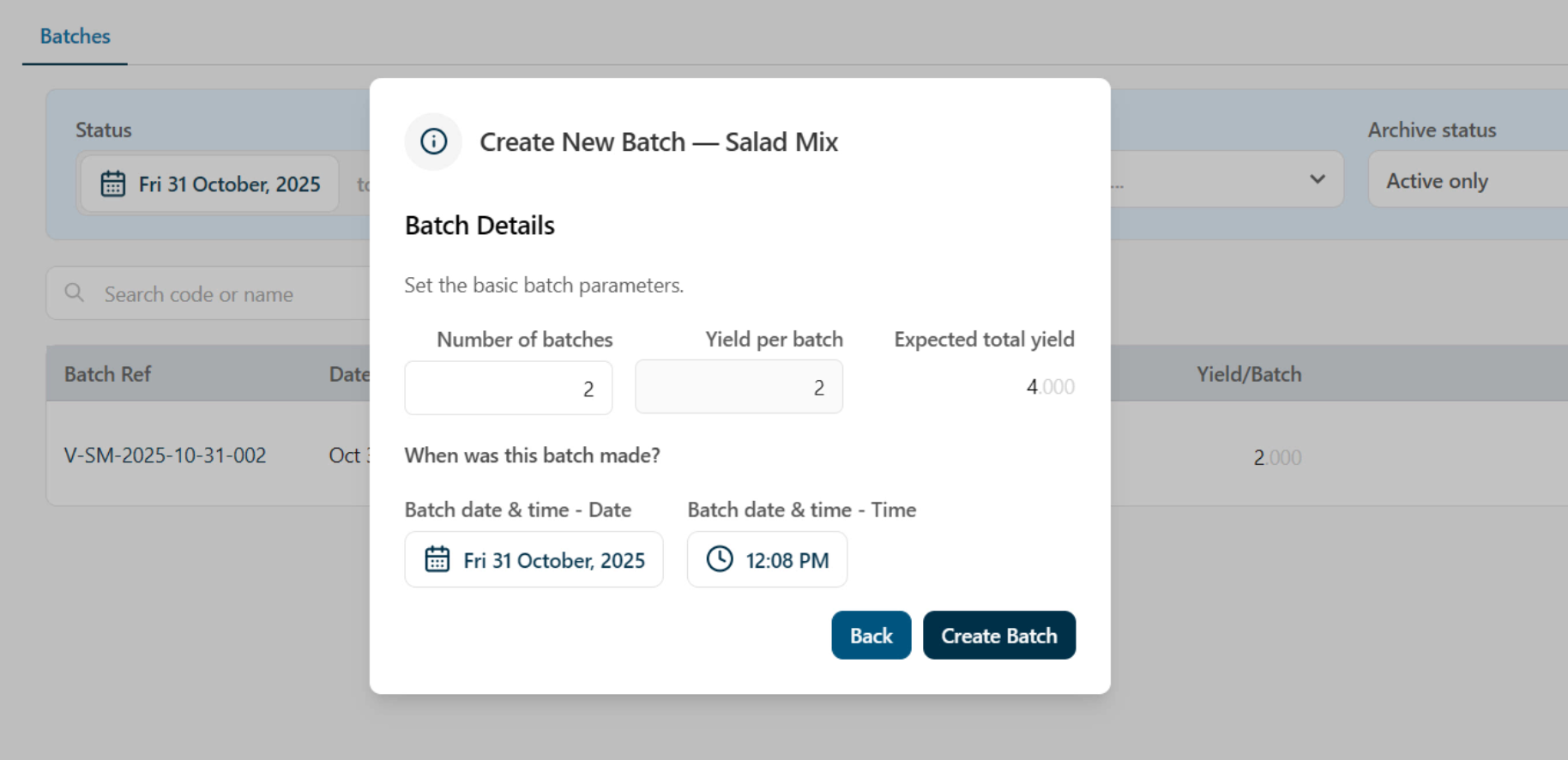
- Specify the number of batches being made and the yield per batch (the amount produced per batch).
- The system automatically calculates the total quantity.
- Example: Two batches at 2 kg per batch = 4 kg total yield.
- Enter the date and time the batch was made, then click Create Batch.
Completing the Manufacture Form
After creating the batch, the Manufacture Form opens. From here you can:
- Review and edit the captured information.
- Add notes about this manufacture.
- Edit the recipe, or click Add Ingredient to include additional items.
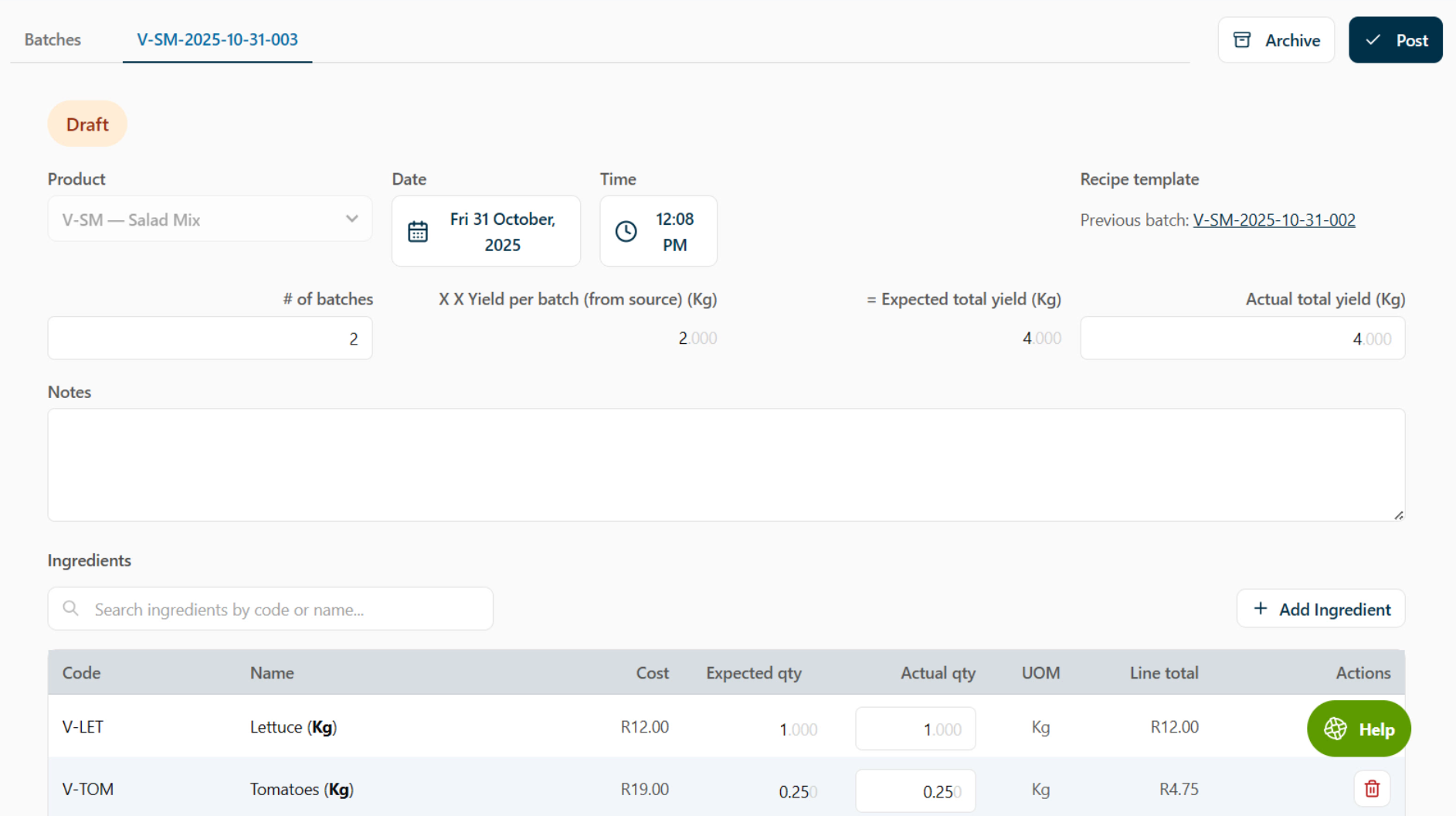
If the batch was copied from a previous manufacture, make sure the actual quantities used are updated to reflect what was truly used this time.
It’s very important to verify the Actual Total Yield, which indicates how much was actually produced. This ensures any shortfall or excess is correctly accounted for.
At the bottom of the page, you’ll see a summary and cost of the batch. Once reviewed, click Post to finalize it.
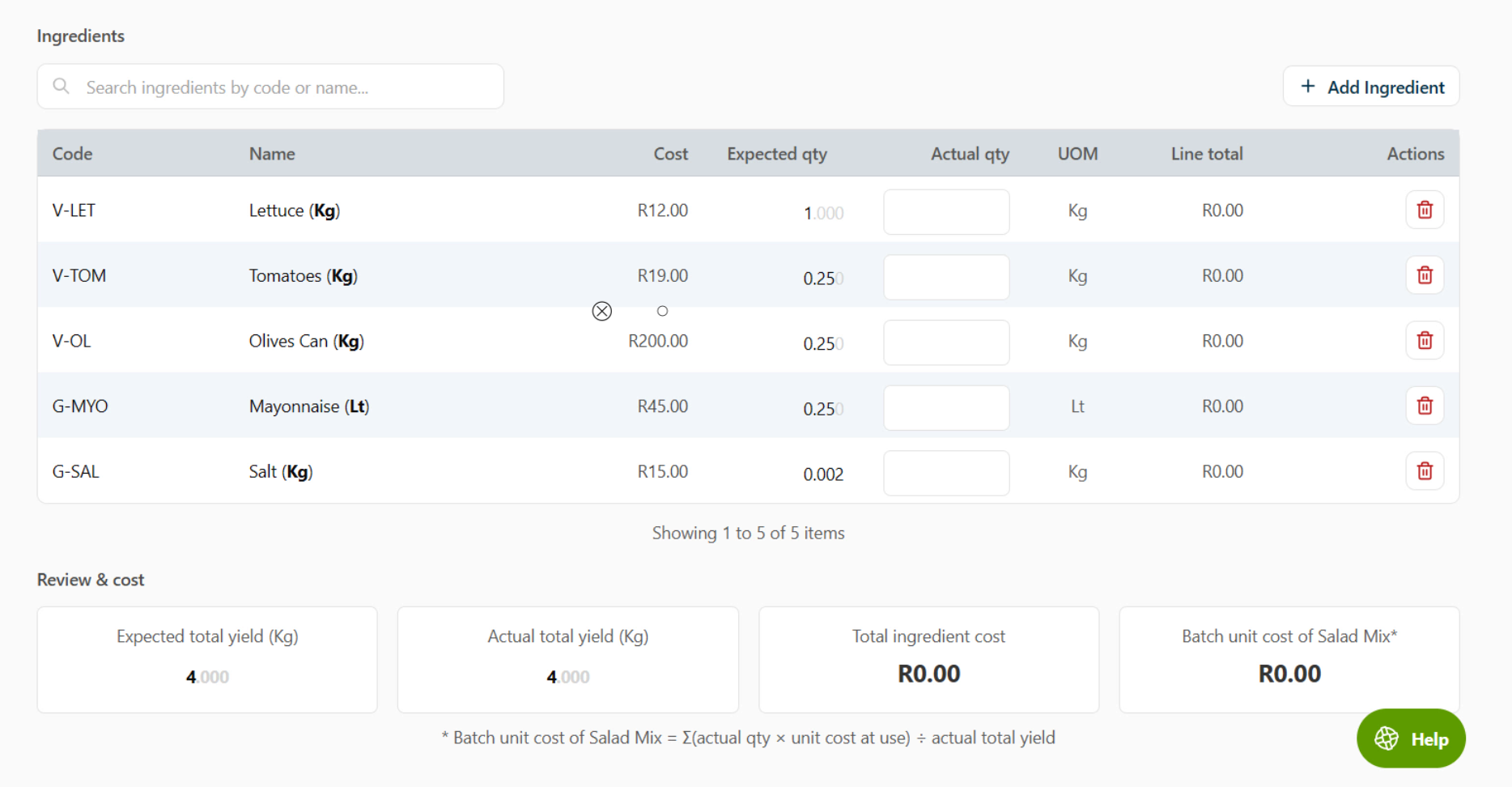
Once a batch is posted, it can no longer be edited.