
Creating and Using Variants
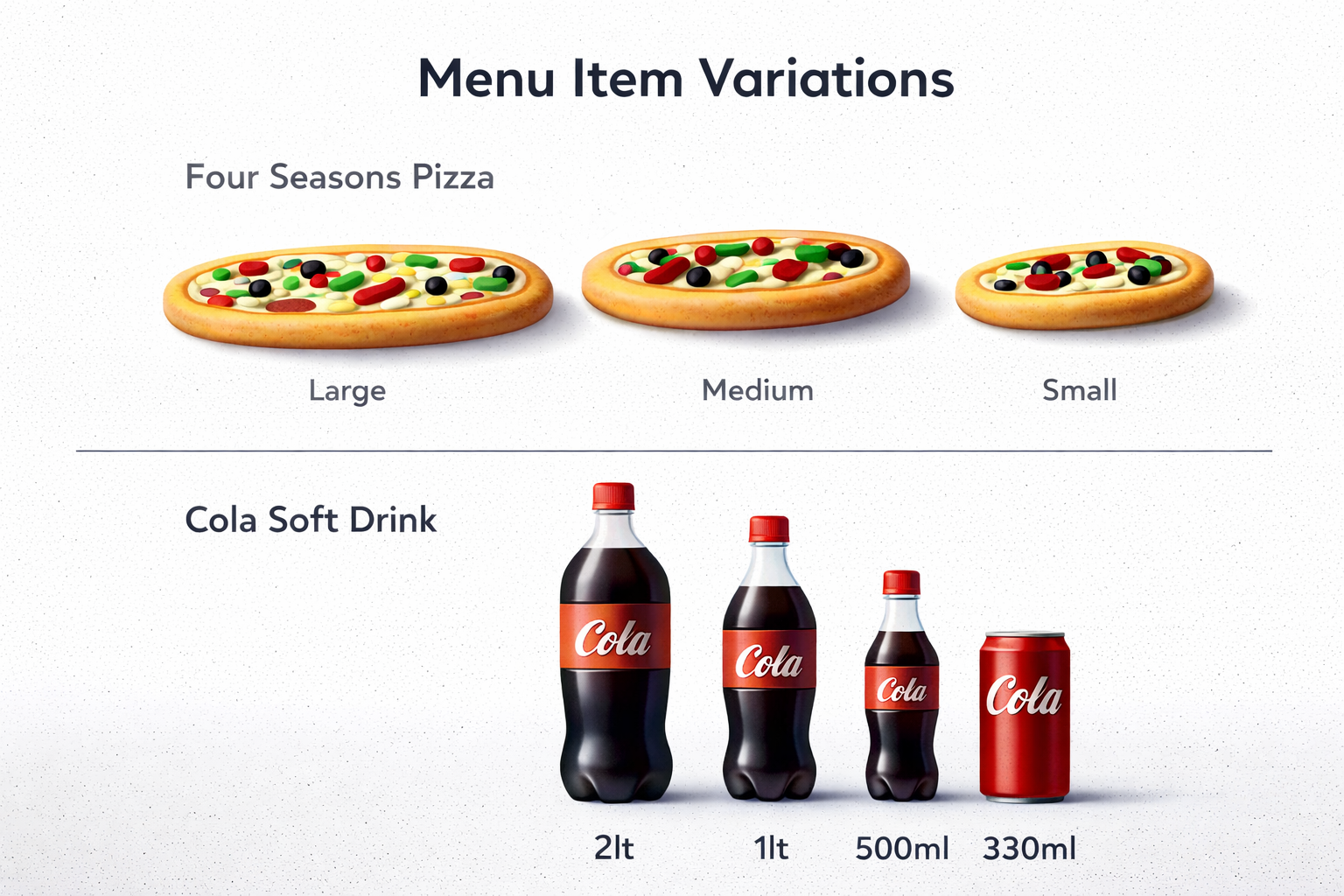
For example, a pizza may be offered in Small, Medium, or Large sizes, while a soft drink could be available as a 300ml can, 500ml bottle, or 1-litre bottle. Each of these represents a distinct version of the same base product and needs to be configured individually.
Creating a Variant Group
Variants are managed within the Enhancers section under the Variants tab. To begin, a Variant Group must be created to hold related variations.
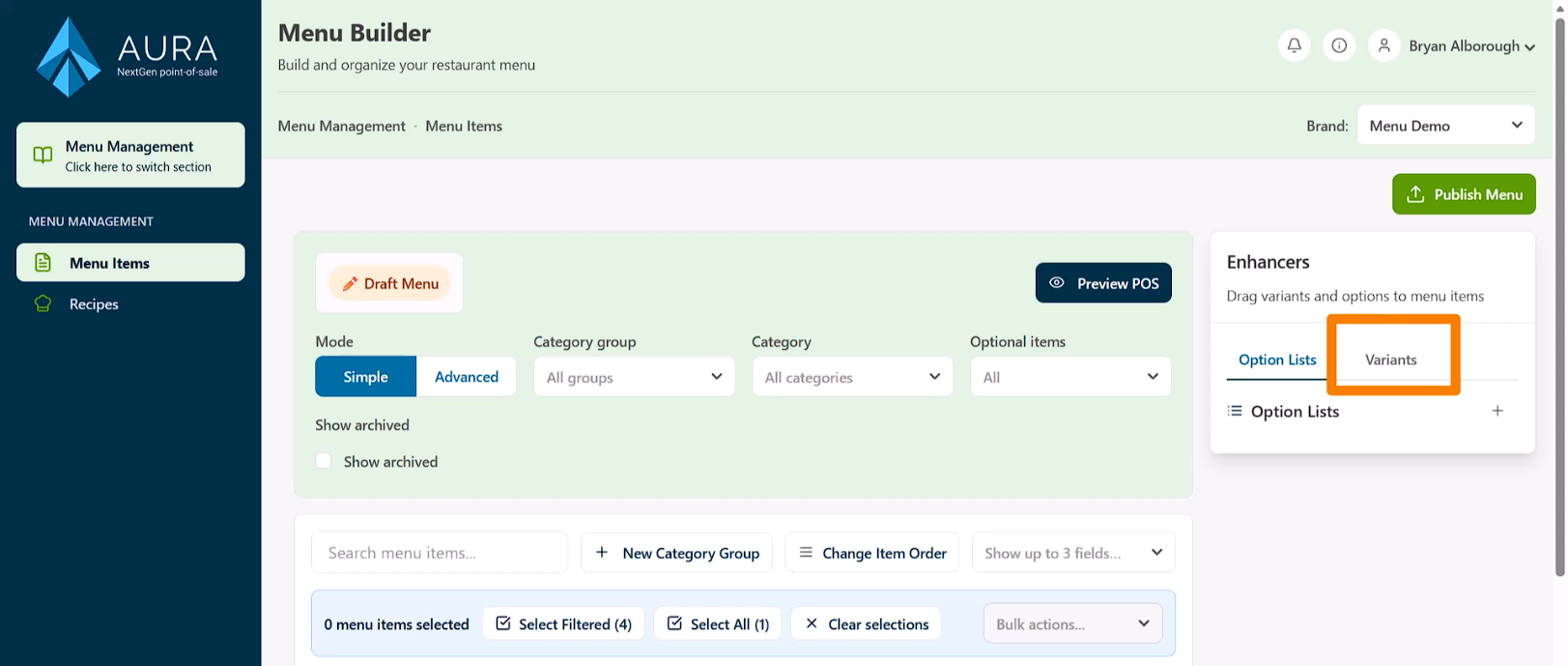
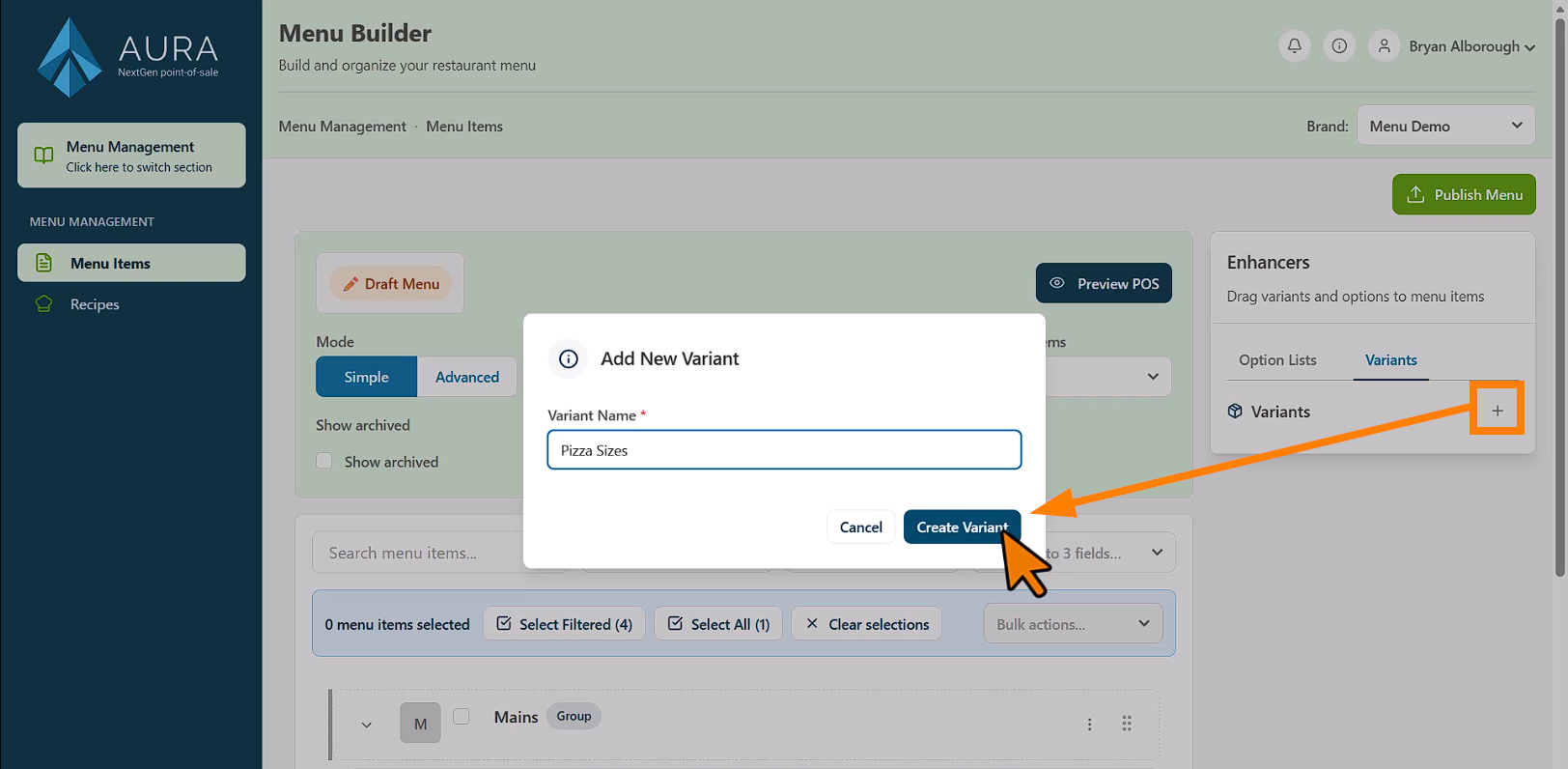
- Click the Plus icon to create a new group, then enter a description.
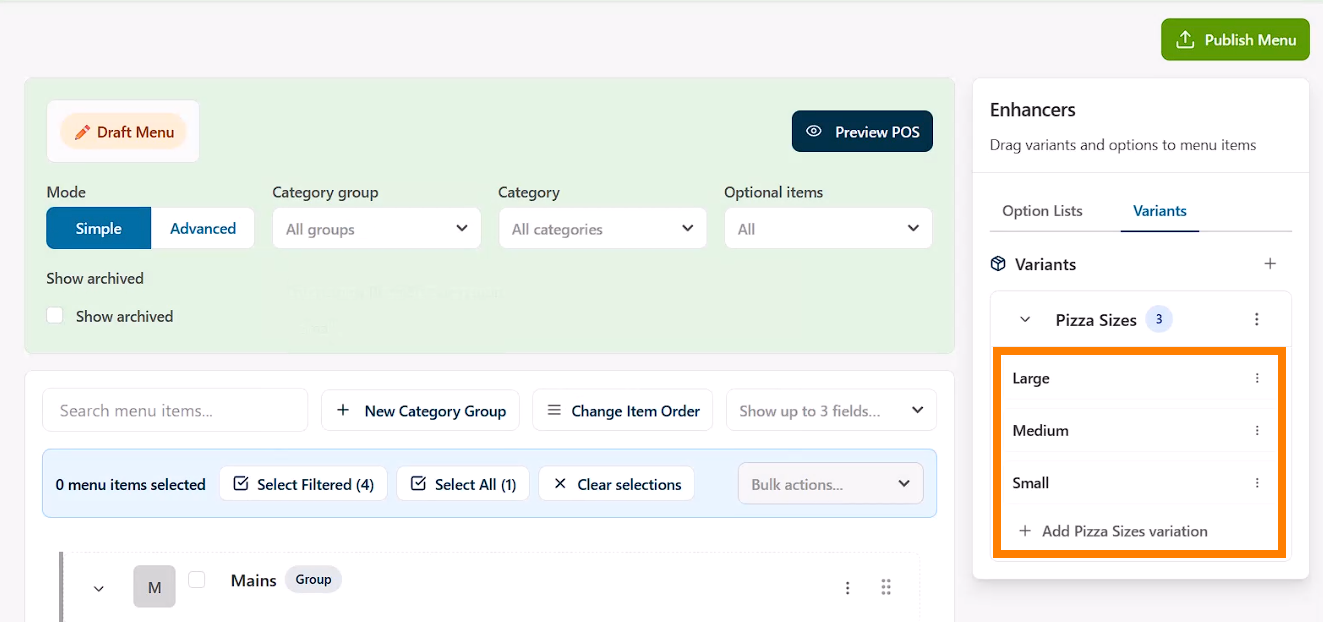
- This description represents the grouping of related variants. For example, a group named “Pizza Sizes” would contain the different size options available for pizzas.
- Once the group is created, individual Variations can be added. These are the actual selectable options, such as Small, Medium, and Large. As each variation is added, it appears nested beneath the group header, allowing additional options to be added as needed.
Assigning Variants to Menu Items
After creating the variations, they can be assigned to menu items. This is done by dragging the desired variant and dropping it into the Variations field on the menu item.
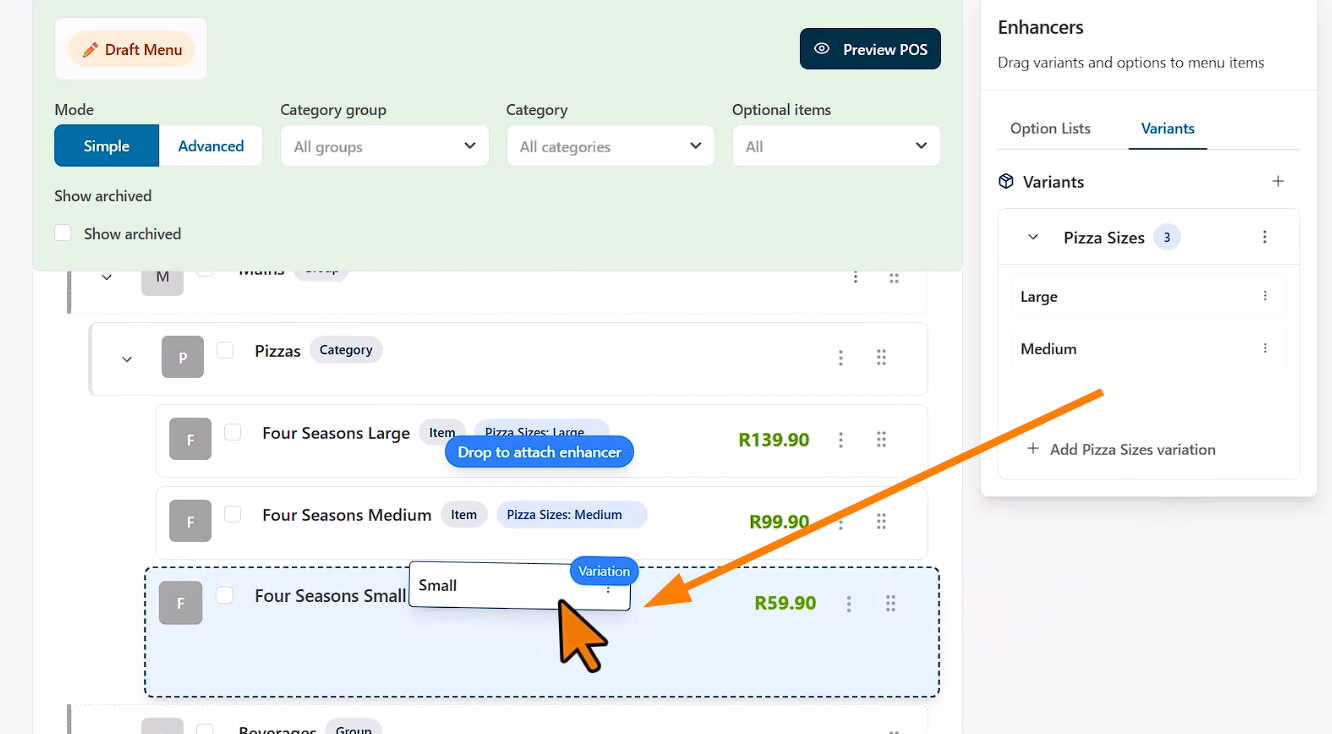
Once assigned, the variant becomes part of that item’s configuration and is used throughout the system.
How Variants Are Used
Variants play an important role across multiple areas of the POS ecosystem. On the POS interface, they can be used as filters, helping cashiers quickly locate specific items during service.
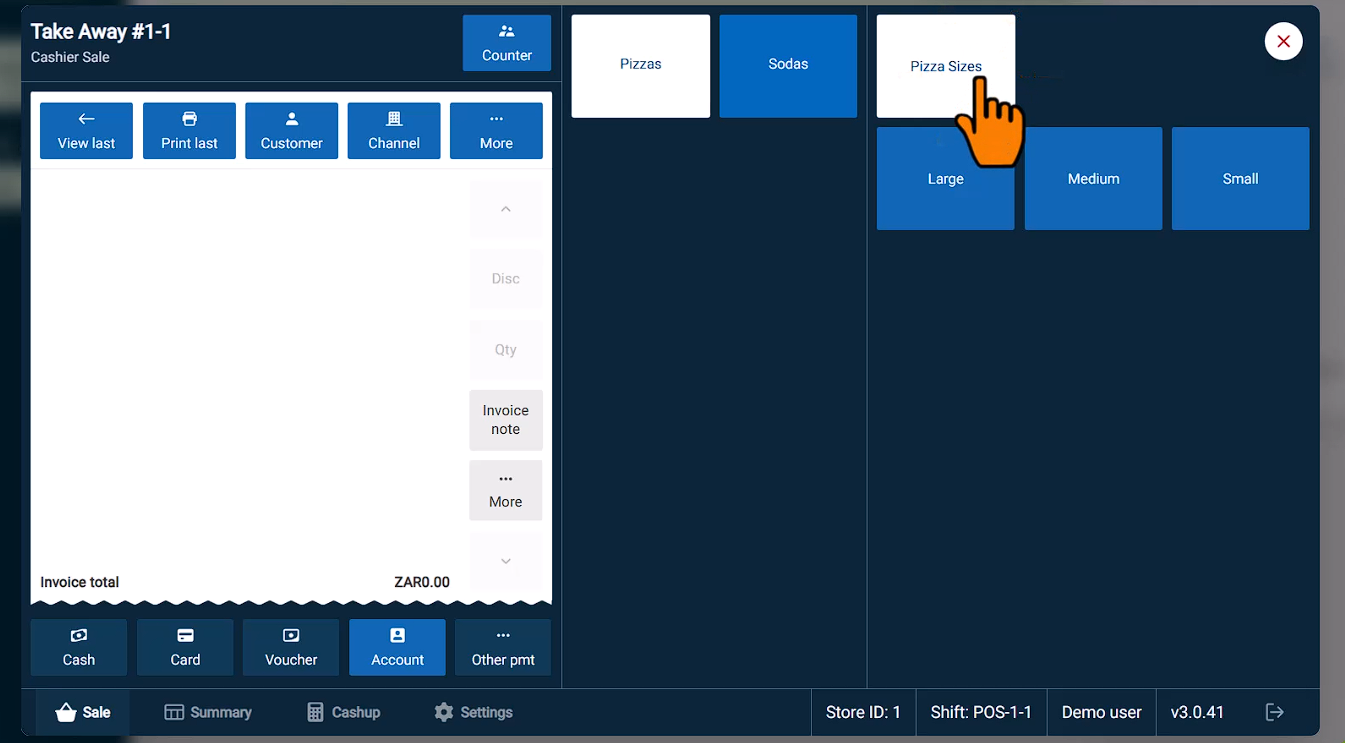
In the kitchen, variants are displayed on kitchen display systems and order tickets, ensuring staff can clearly identify the exact version of the item that needs to be prepared.
Variants are also used in reporting, where they allow sales data to be grouped and analysed by item type, such as tracking performance by size or packaging format.
Managing Variants
Variations can be removed from an item at any time by selecting the “X” on the variant label.
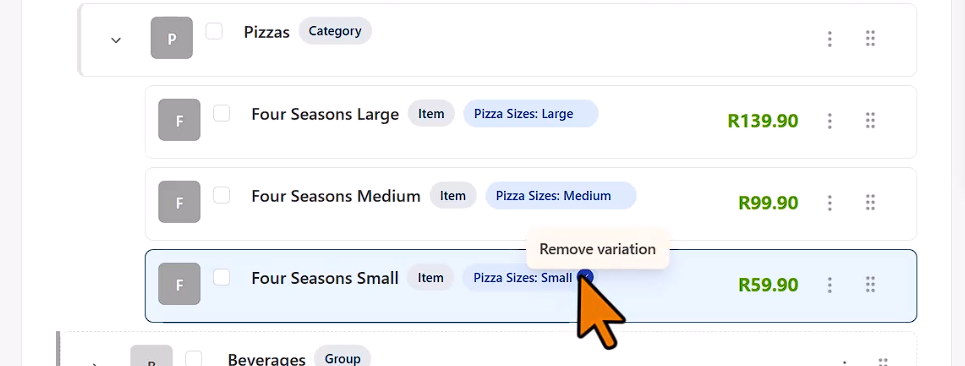
It is important to note that only one variant can be assigned per menu item. Because each variant typically has its own price and recipe, separate menu items should be created for each variation in use. For example, Small Pizza, Medium Pizza, and Large Pizza would each exist as individual items, each tagged with the appropriate variant.