
Abandoning and Voiding Sales
Change of mind or errors may end up requiring you to abandon or void a sale.
Abandoning a Sale
Sales can only be abandoned if no payment has been recorded. Abandoning a sale cancels the order entirely.
To abandon a sale:
- Navigate away from the order by selecting another page tab, prompting a confirmation to abandon the sale.
- OR tap More → Abandon Sale → Confirm.

Depending on permissions, a manager’s override may be required. Abandoned sales do not appear in invoices.
Voiding a Sale
Voiding is used when payment has already been accepted, but the order needs to be canceled.
To void a sale:
- On the Summary page, select the invoice and on the invoice details screen, tap Void.
- Choose Without Wastage (no stock lost) or With Wastage (stock lost).
- Fill in:
- Customer: Link an existing customer or add new details.
- Reason: Select from pre-set void reasons.
- Description: Add any relevant notes.
- Tap Submit. A manager override may be required.
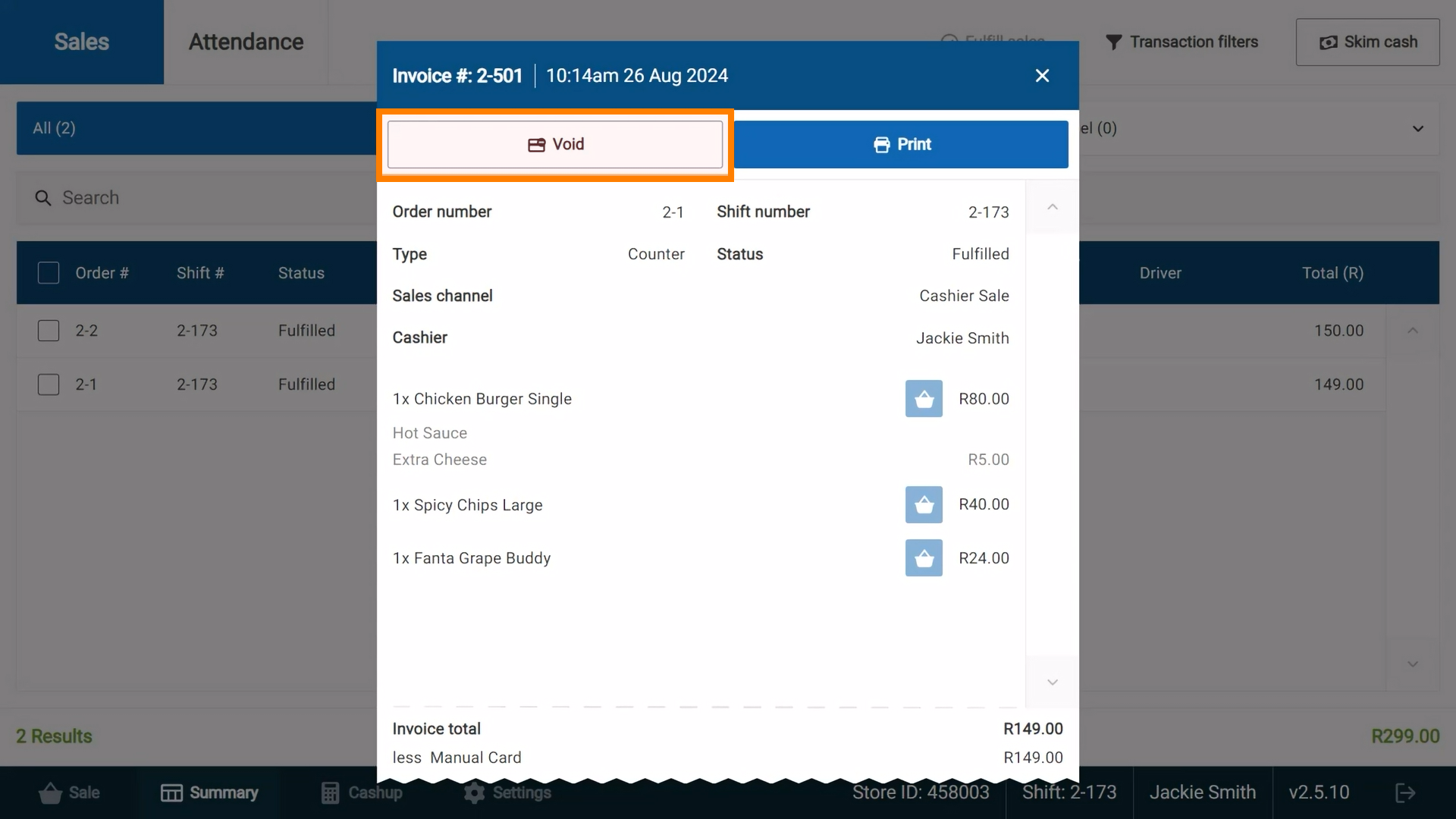
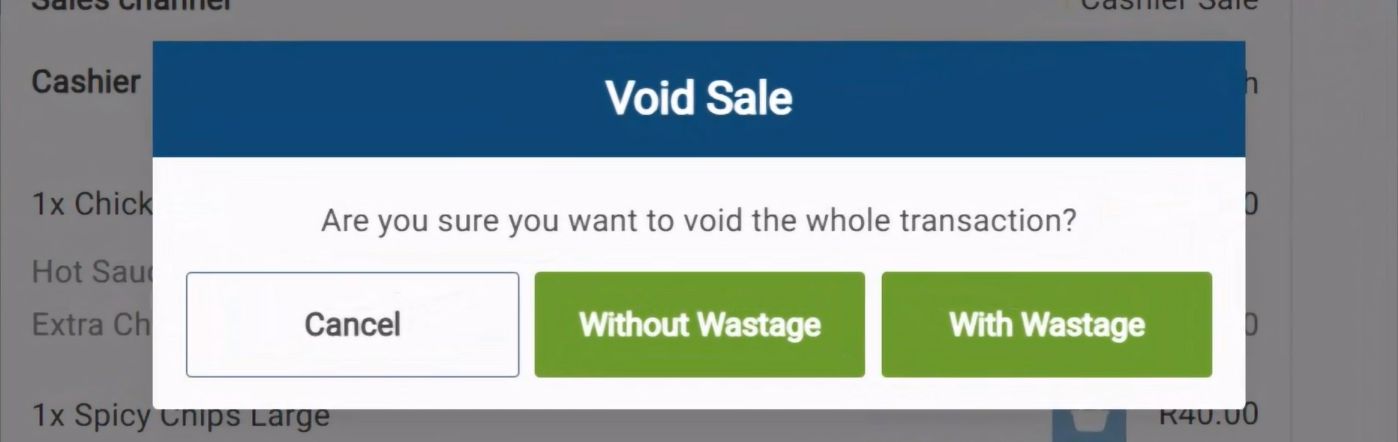

Once voided, the invoice status updates, and a refund may be necessary.