
Applying and removing discounts
Discounts allow you to reduce the price of items on an invoice
Discounts allow you to reduce the price of items on an invoice. Available discounts vary by restaurant, and some staff may need manager approval to apply them.
Discounts are applied in the Sale screen when ringing up a sale.
Applying a Discount
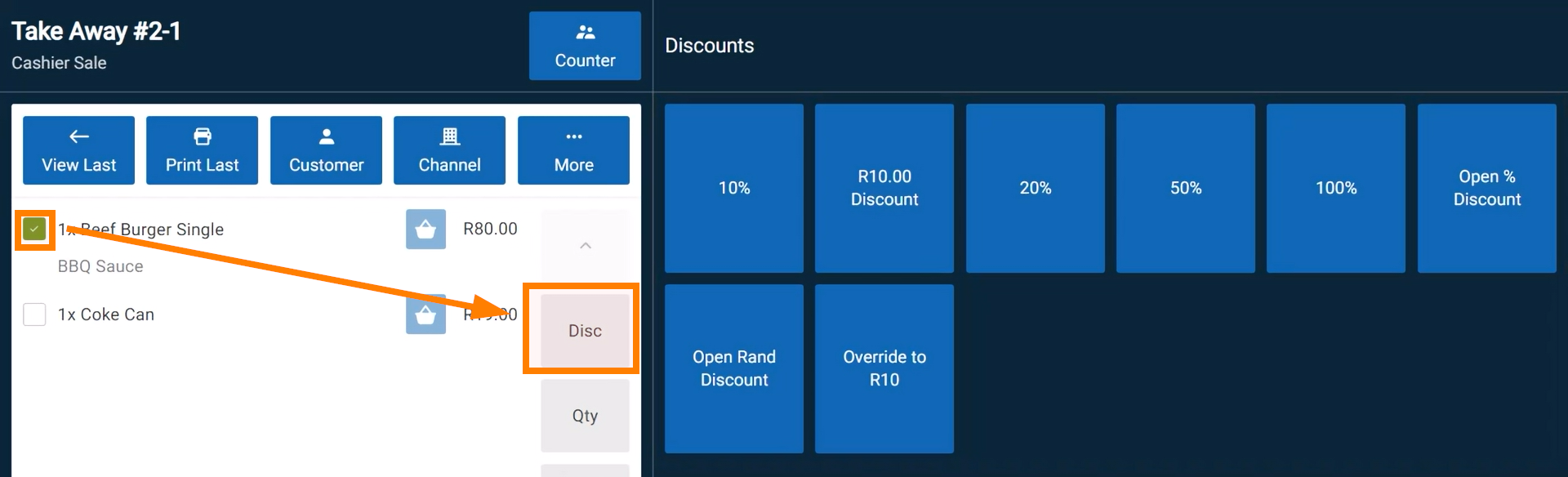
- Tap the checkbox next to the item(s) you wish to apply it to.
- Tap the Disc button to open the discount menu.
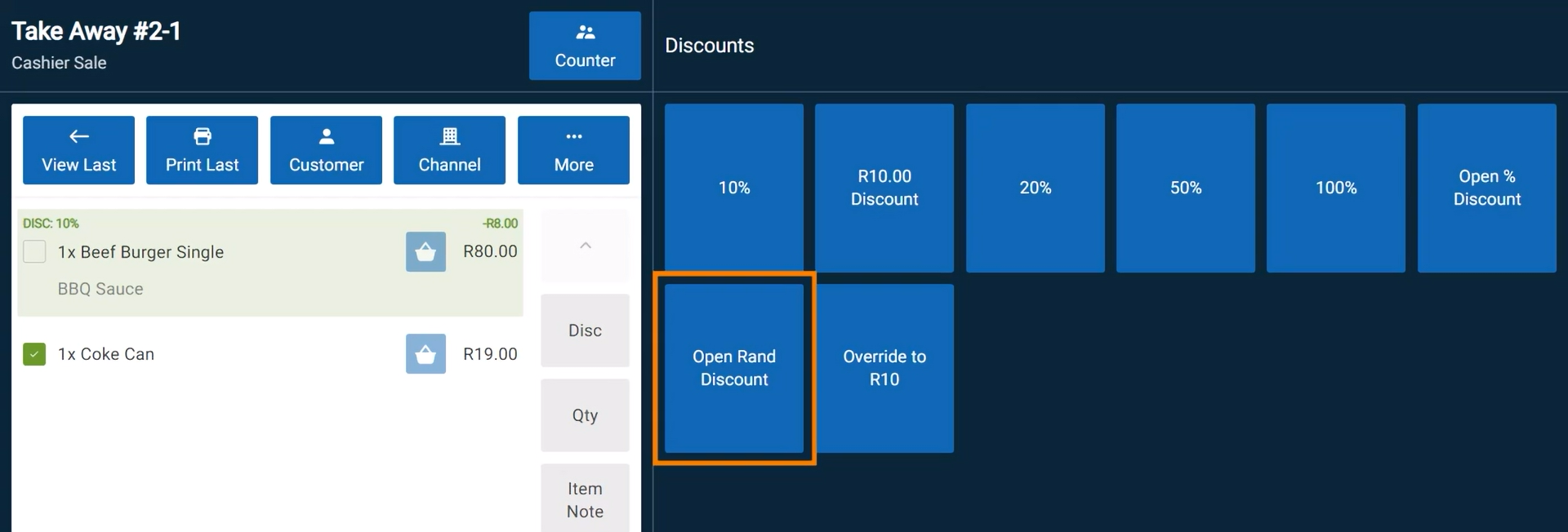
- Select a discount:
- Fixed Percentage Discount: Deducts a set percentage of the item’s price (e.g., 10%).
- Open Discount: Allows you to enter a custom discount amount in your local currency.
- Discounted items will be highlighted in green, showing the discount name and value.
Removing a Discount
- Select the discounted item.
- Tap the Disc button.
- Tap Remove to cancel the discount.
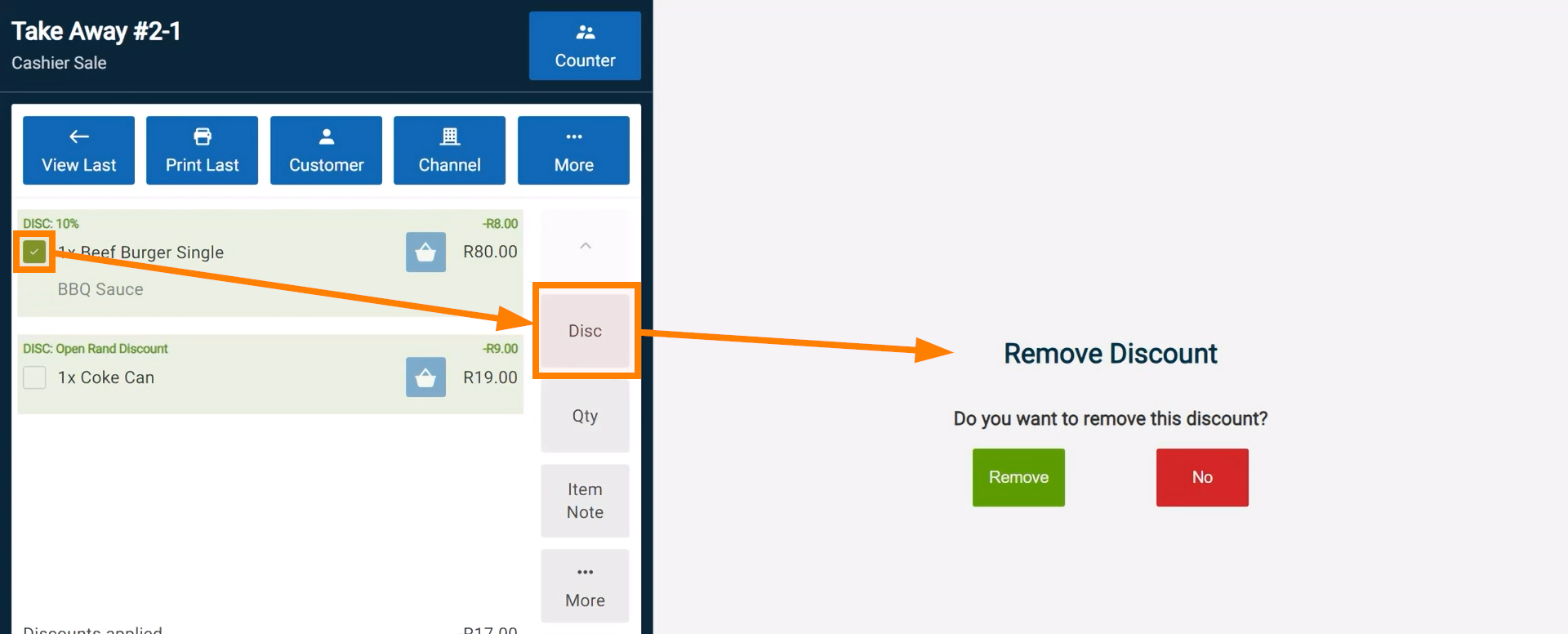
The total discount value is displayed above the invoice total.