
Take-Away vs. Sit-Down Orders
CounterPOS allows you to mark a sale—or individual items—as Take-Away or Sit-Down, affecting stock control and kitchen instructions.
Take-Away deducts packaging stock and signals the kitchen to include take-away packaging.
Sit-Down orders are served on plates with cutlery, without affecting packaging stock.
Changing the Entire Sale
To switch an entire sale from Take-Away to Sit-Down:
- Tap More under item controls.
- Select Sit-Down.

The invoice header and item icons will update accordingly.

Changing Individual Items
To set only specific items as Take-Away or Sit-Down:
- Select the item(s).
- Tap More → Take-Away or Sit-Down.
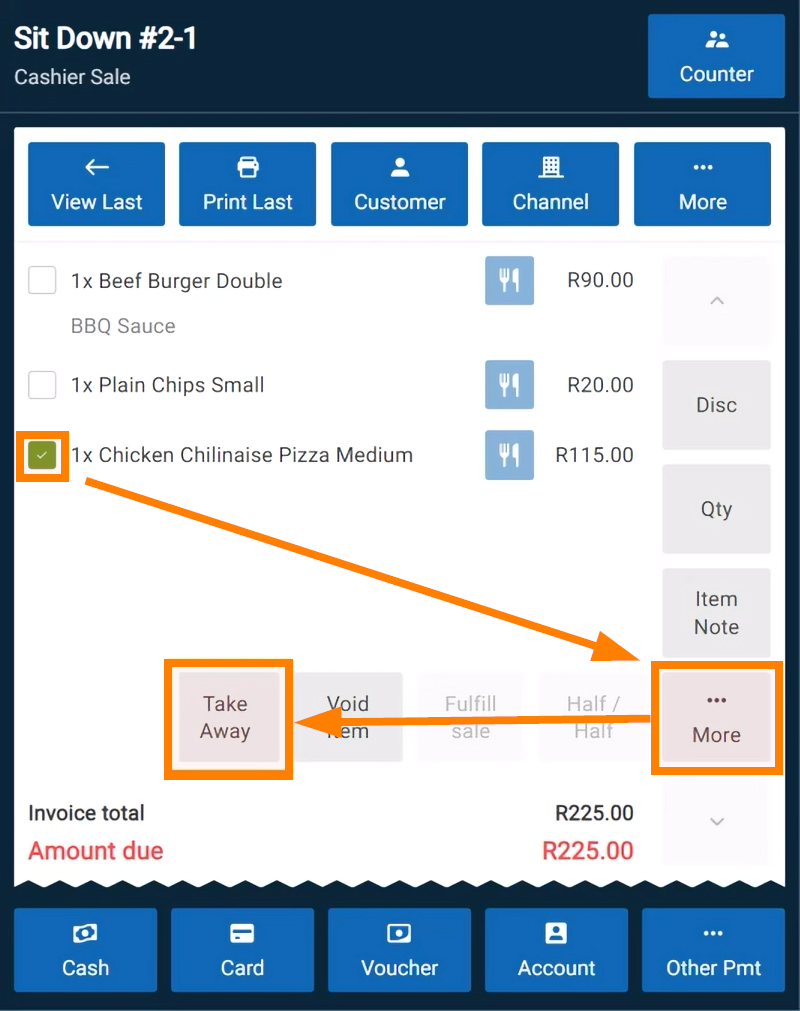
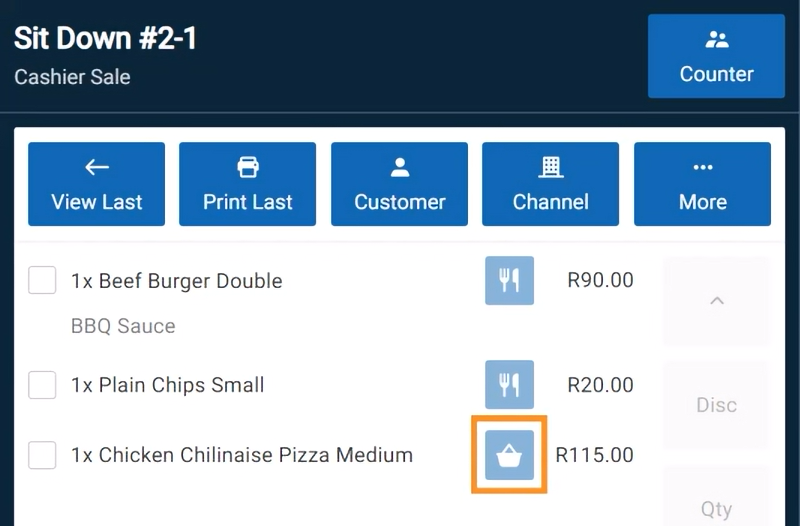
Icons will update to reflect the change, while the rest of the sale remains unchanged.
By default, CounterPOS assumes all sales are Take-Away. This setting can be changed in the Settings tab if you have the required permissions.