FAQ
Q: Why are some completed orders not clearing from the Summary page after posting my cashup?
A: Orders that remain after cashup are those that are unpaid, partially paid, or not yet fulfilled. Check the following:
Check the order status. This will tell you if the order needs to be paid or fulfilled. Fulfilment is a final step in confirming that an order has been paid and given to the customer.

Counter orders are automatically fulfilled, but as a delivery or collect order may be paid in advance, an order needs to be marked as fulfilled in order to indicate that the food has been given to the customer. Drive thru or Lounge orders can also be made to be paid later - so you will need to check that they are all paid.
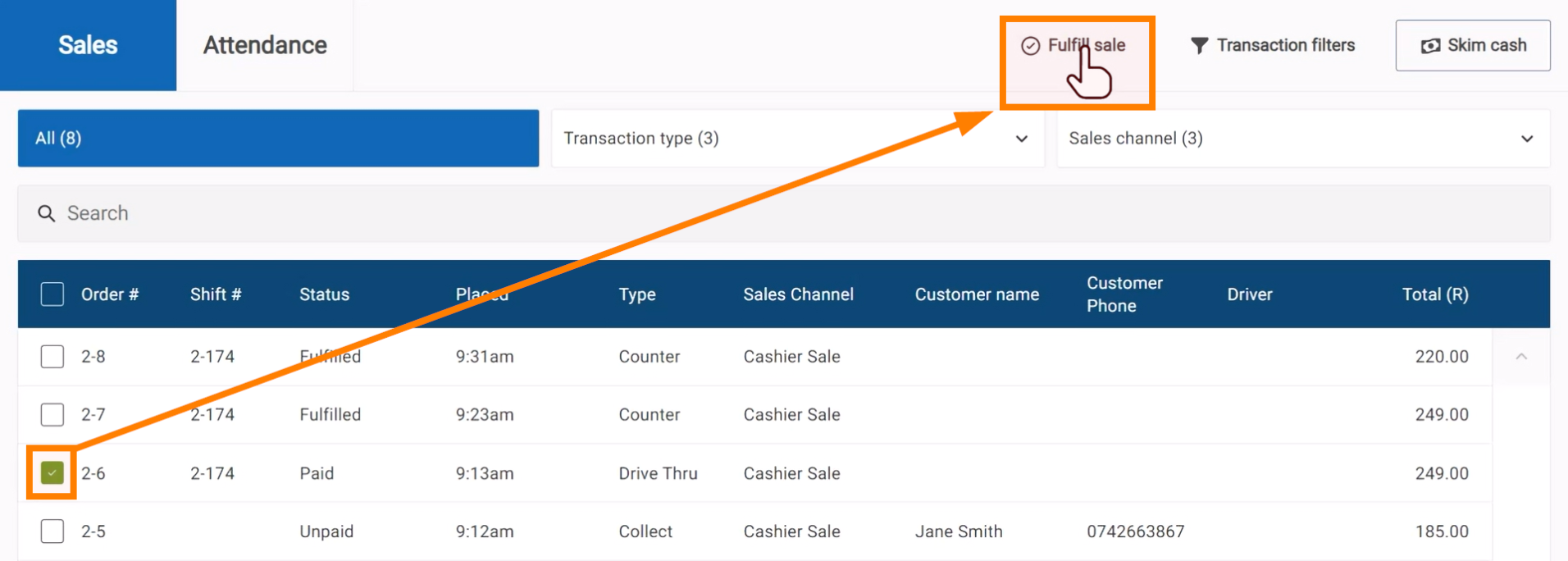
Orders can be marked as fulfilled on the Summary page. Select the orders and click Fulfill sale.
Check to see if the orders are assigned to a Driver or Waiter that still needs to be cashed up. Once the employee cashup is complete, the orders will be cleared from the summary page.
Q: Why does my POS shift say “Trying to connect” and is not available to cash up?
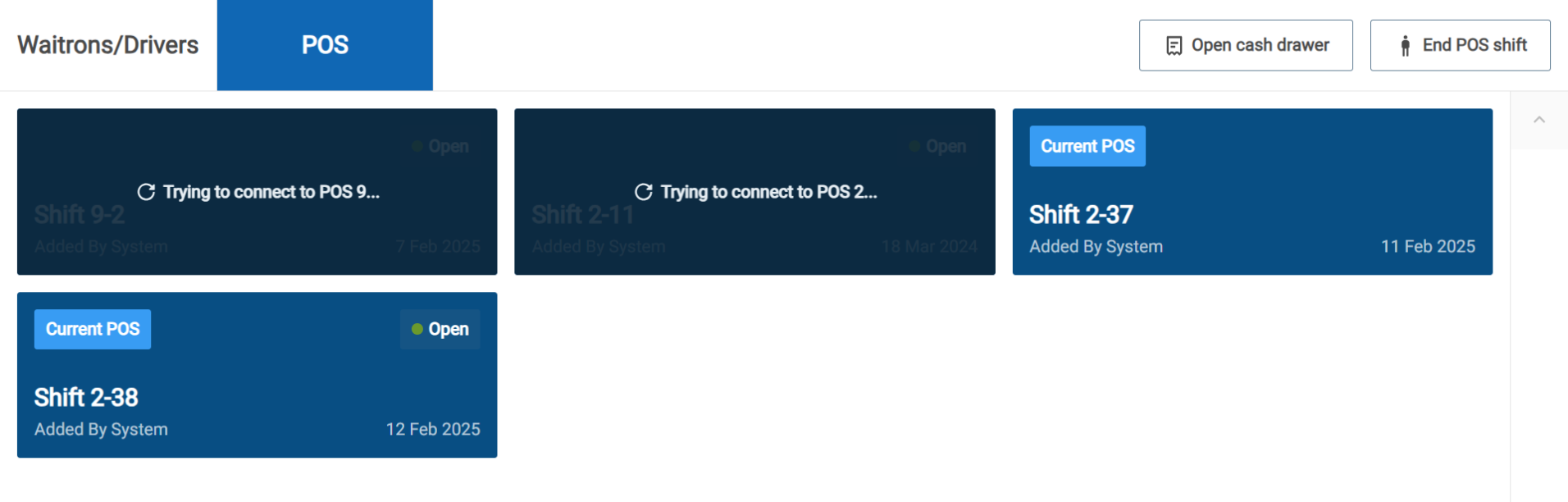
A: It’s likely that the POS device is offline (either switched off or not able to connect to the internet) and as yet is unable to sync it’s shift and sales. Please make sure that the POS device is online and connected to the internet. Once it comes online, the shift will become available to cash up.
Q: Why does my cashier get a “password is needed” message when they try to log in to CounterPOS?
A: In this case, incorrect roles or permissions are set for this user. Please consult the guide on creating Roles and Permissions to make sure they’re appropriately set so the user has access to log in.
Q: Why are invoices not printing to my printer when I complete a sale or reprint?
A: There could be several reasons for this. It’s best to check the following:
If you are using a bluetooth printer, disconnect and reconnect the bluetooth connection.
If you are unable to reconnect, restart the CounterPOS Device and the bluetooth device.
If the printer is not bluetooth (such as USB or network) check the data cable connections. Restart the device if still not working.
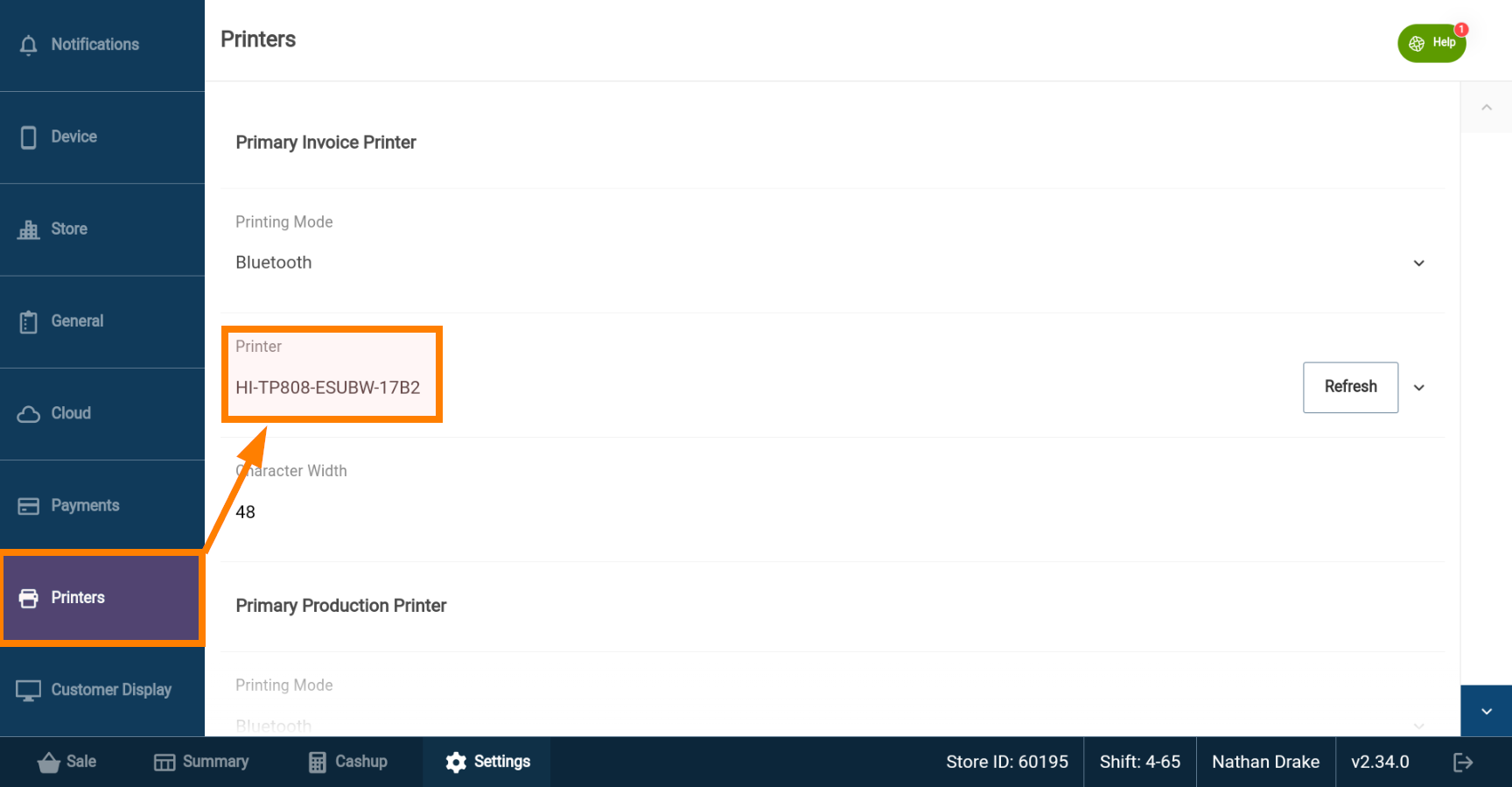
Check the Printer assignment on the Settings page to ensure the correct printer is selected.
Q: A menu item is incorrect or missing. What do I do?
A: How menu problems are addressed depends on how your stores manages your menu.
If your store is part of a brand with centralised menu development, you will need to consult with the Brand or menu Administrator. This representative will have access to update and push menu updates to your store network.
If a new menu has been released or published and you do not see the changes, check that the POS device has an active internet connection in order to download the latest menu to CounterPOS.
Q: Why are my sales missing from my reports and dashboard?
A: Some sales may not reflect on the portal if one or more of your POS devices have not synced their sales with the cloud. POS devices can store sales locally and operate if there is no internet connection, but they will not be able to send that information to the cloud. Ensure all devices are powered on and connected to the internet.our content here.