
The Transactions List page
The Transactions List page displays a complete list of all transactions that have been processed by an integrated payment platform.
The Transactions List page displays a complete list of all transactions that have been processed by an integrated payment platform.
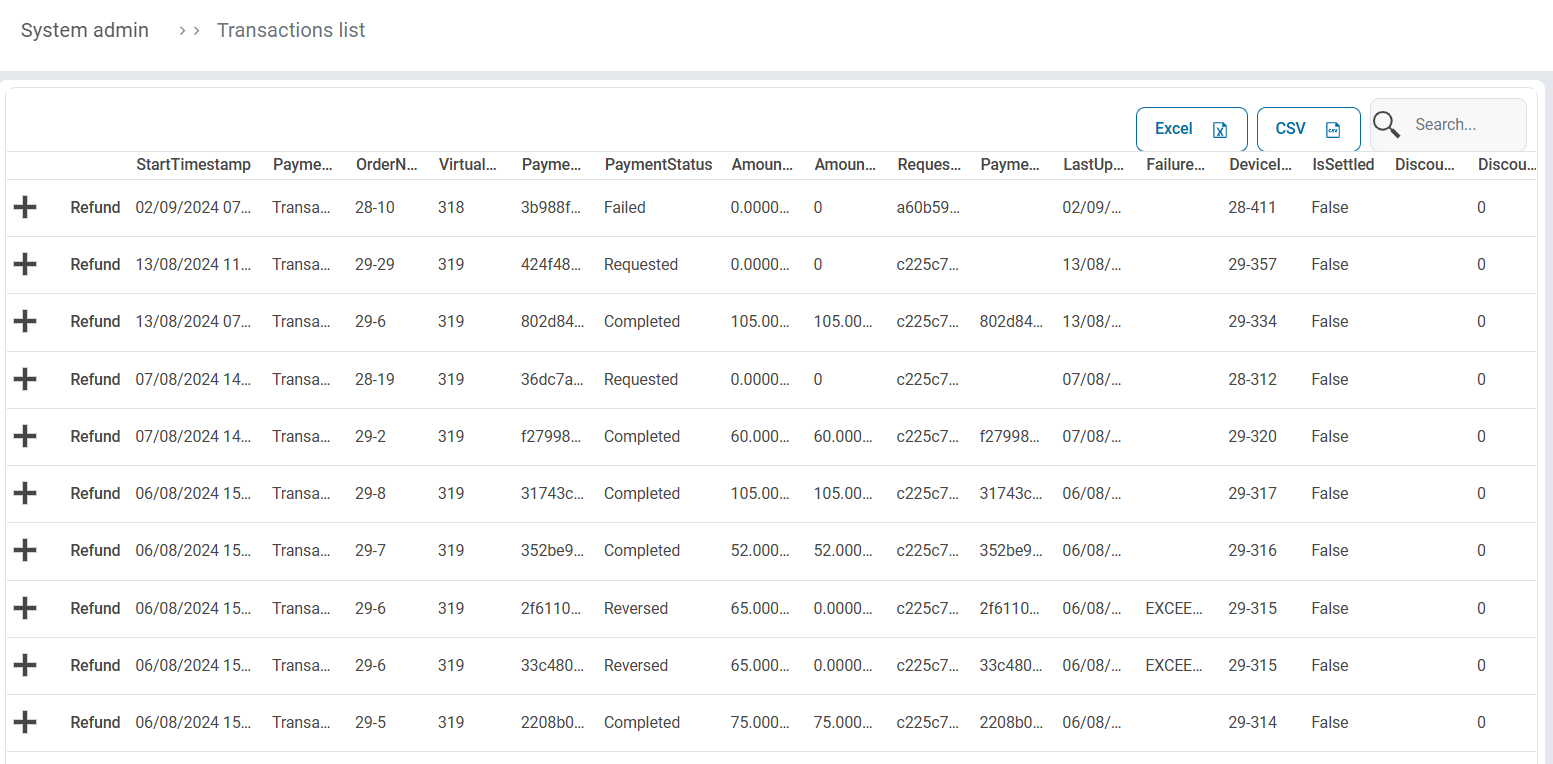
The list can be exported to Excel or to CSV via the export buttons.
Detail View
Clicking the Expand icon on any of the entries will open a detailed view the given transaction. These details assist in troubleshooting or referencing parts of a transaction.
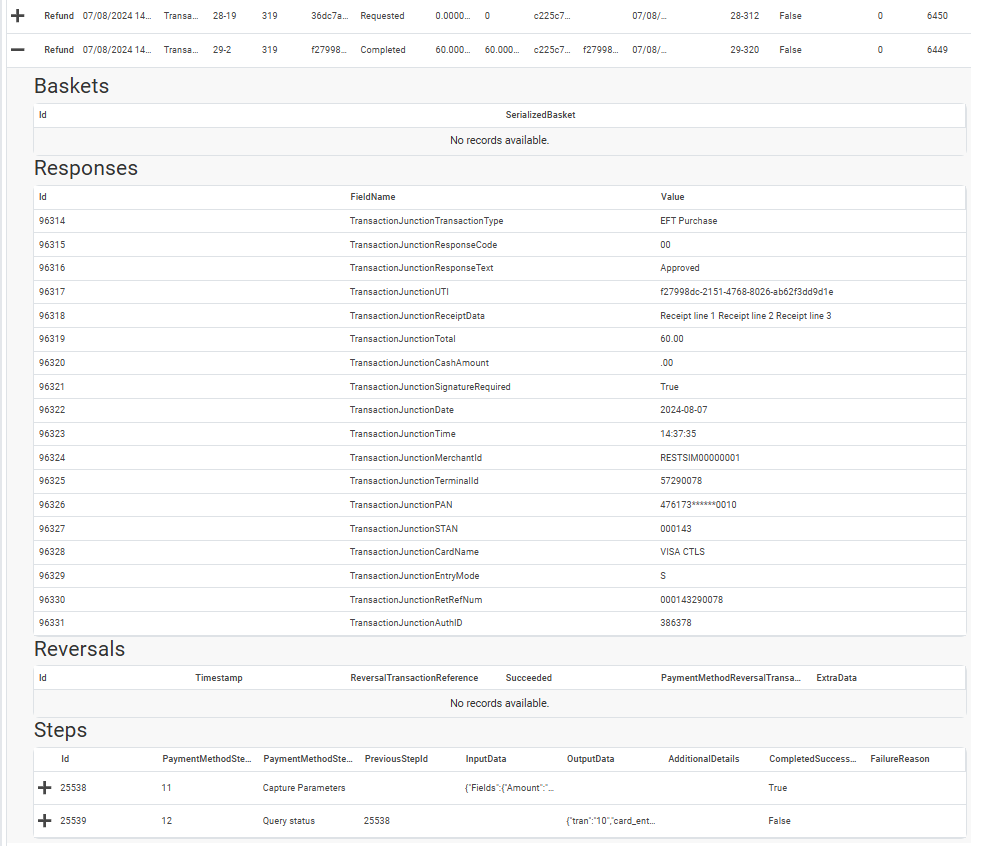
- Baskets - If a payment method requires basket information (i.e the items included in the sale) the details of the basket will reflect here.
- Responses - This is a list of responses provided by the payment platform’s API.
- Reversals - This is information on any reversals applied for this transaction.
- Steps - This is detailed technical log of the steps involved in the transaction, and is primarily used for technical troubleshooting.
Refund
Clicking the Refund option on any transaction will launch the Create Refund Request.
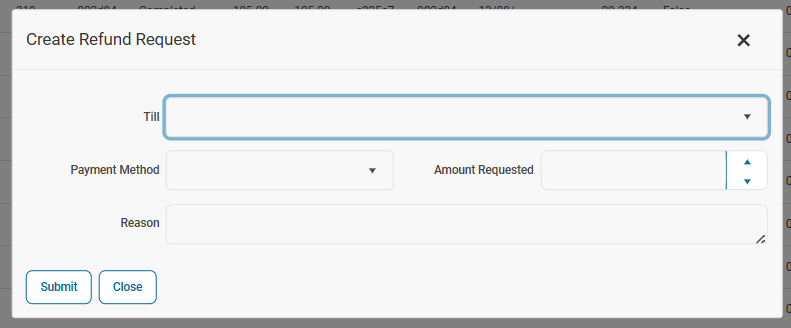
Before the refund can be submitted, the following information needs to be captured.
- Till - This is the CounterPOS Till device that the refund will be processed on. This is necessary for integrated card transactions in particular.
- Payment Method - Select the payment method that was used that needs to be refunded.
- Amount Requested - Input the amount required to be refunded, up to the total value of the sale.
- Reason - Capture a reason for the refund for reporting purposes.
| Note that for some payment methods, such as Transaction Junction, clicking Submit will cause the terminal to light up and the same card that was used to process the sale must be presented to the terminal again in order for the refund to be processed. |