The Online Orders page
The Online Orders page opens the Online Ordering Dashboard. This dashboard shows live details of online orders that have passed through the POS during the current trading day.
The Online Orders page opens the Online Ordering Dashboard. This dashboard shows live details of online orders that have passed through the POS during the current trading day.
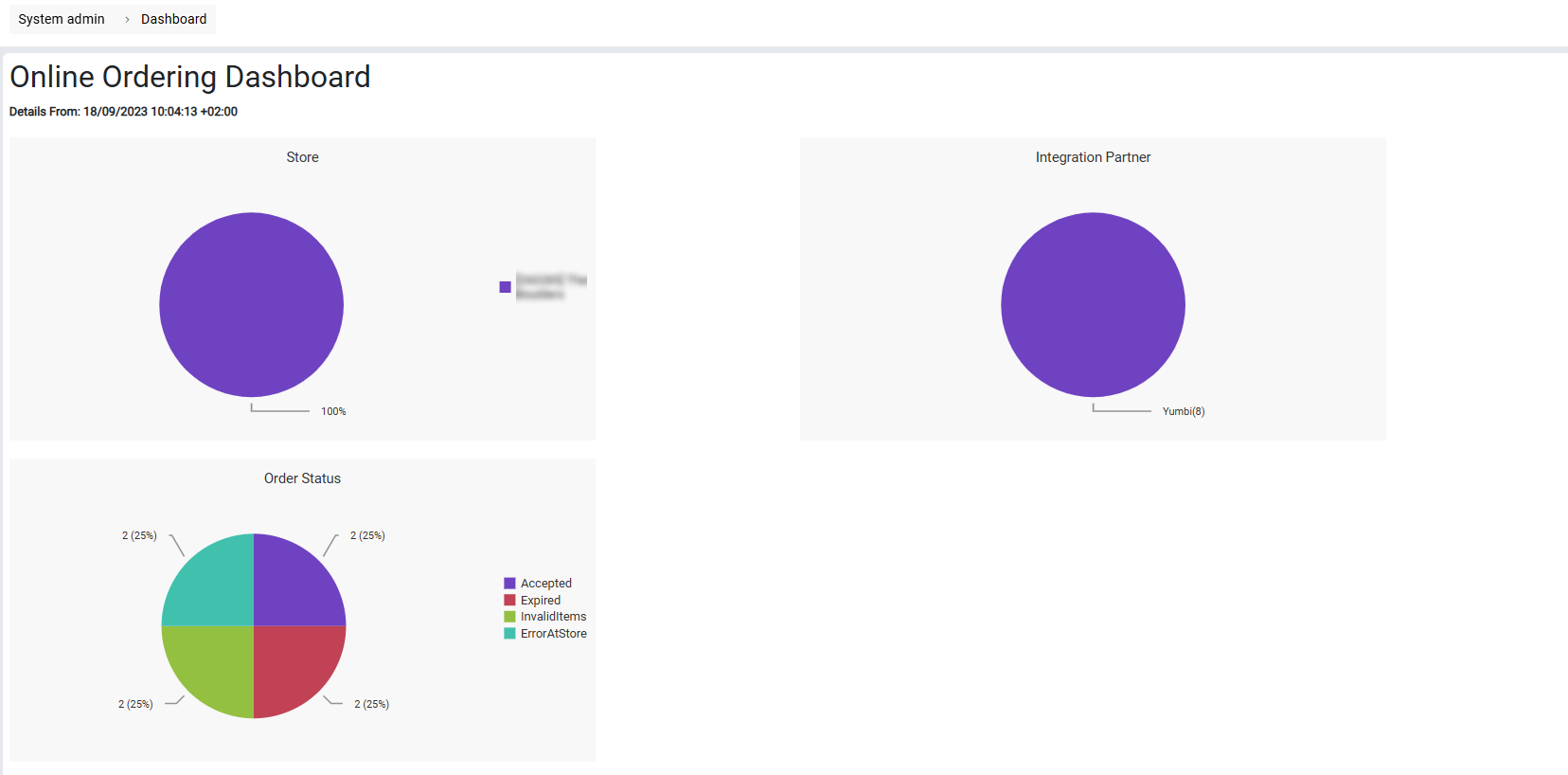
- Store breaks down orders by store. This will always be 100% if your Selector is set to a single store.
- Integration Partner shows the ratio of orders by the online platform that is sending orders to the POS.
- Order Status breaks down the orders by the final reported status of the order (eg. Accepted, Expired etc.)
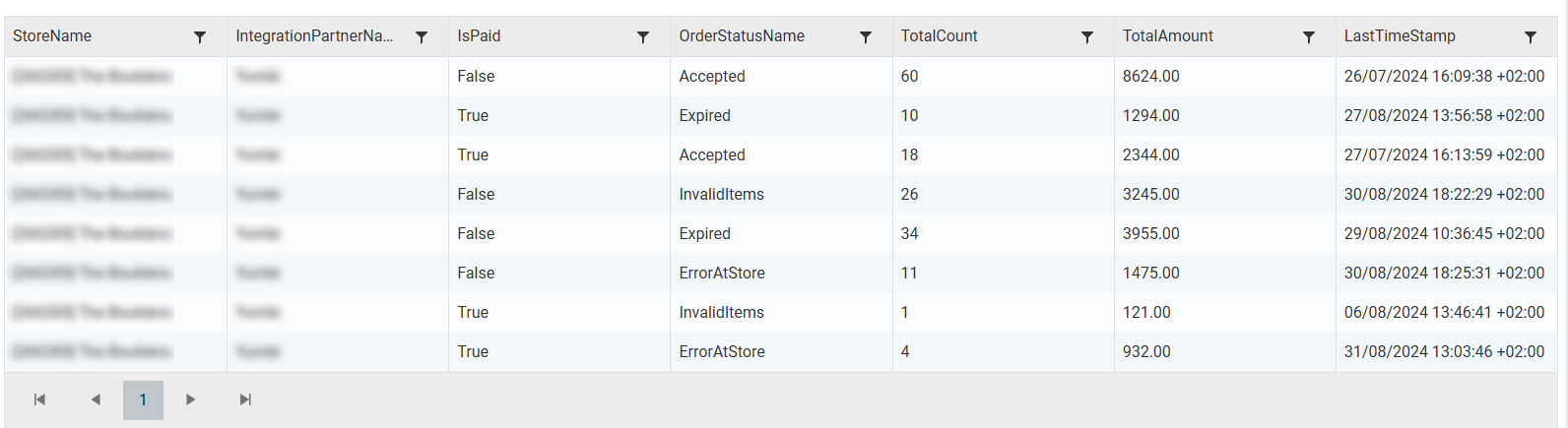
Below the pie charts, a summary of orders received is displayed in a table that is by default ordered by the TotalAmount column, which is a sum of the value orders that match the previous sorting filters. The results can be sorted by clicking the header of the column you wish to sort by, and can be further filtered by clicking on the filter icon next to each column header.